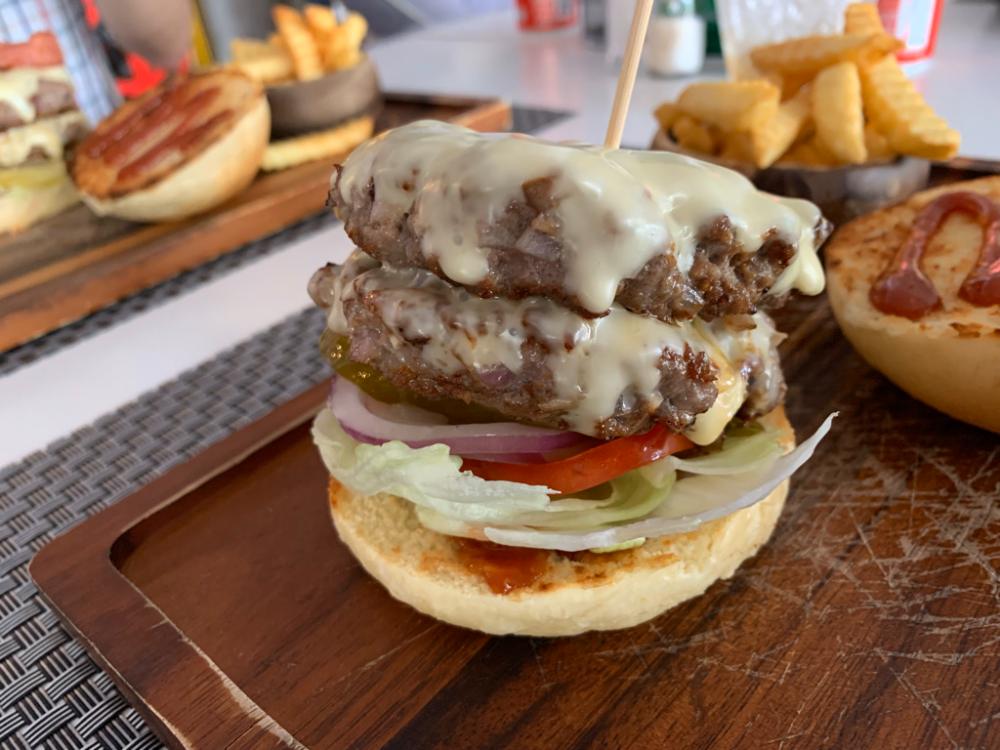
function Onboarding({ onDone, start }) {
  const { Button } = window.SpotureDesignSystem_f7ad96;
  const [i, setI] = React.useState(Number(start) || 0);
  const last = 3;
  const next = () => (i === last ? onDone && onDone() : setI(i + 1));
  const Tile = ({ h, w, r, label, big, src }) => (
    <div style={{ width: w, height: h, borderRadius: r || 16, background: 'var(--surface-2)', border: '1px solid var(--border)', display: 'flex', alignItems: 'center', justifyContent: 'center', position: 'relative', flexShrink: 0, overflow: 'hidden' }}>
      {src
        ? <img src={src} alt="" style={{ width: '100%', height: '100%', objectFit: 'cover', display: 'block' }} />
        : <i className="ti ti-photo" style={{ fontSize: big ? 26 : 18, color: 'var(--text-muted)' }}></i>}
      {label && <span style={{ position: 'absolute', left: 8, bottom: 8, font: 'var(--text-micro)', color: '#fff', background: 'rgba(26,26,26,.68)', borderRadius: 999, padding: '4px 8px' }}>{label}</span>}
    </div>
  );
  const road = (x, y, w, h, deg, main) => ({ position: 'absolute', left: x, top: y, width: w, height: h, transform: 'rotate(' + deg + 'deg)', background: main ? '#FFFFFF' : '#FBFBF9', boxShadow: '0 0 0 1px rgba(26,26,26,.07)', borderRadius: 2 });
  const Art1 = () => (
    <div style={{ position: 'relative', width: 268, height: 268, borderRadius: 34, background: '#EFEDE6', border: '1px solid var(--border)', overflow: 'hidden' }}>
      <div style={{ position: 'absolute', left: -20, top: 150, width: 150, height: 150, borderRadius: '42% 58% 50% 50%', background: '#DCE8D3' }}></div>
      <div style={{ position: 'absolute', left: 196, top: -14, width: 110, height: 96, borderRadius: '50% 40% 55% 45%', background: '#DCE8D3' }}></div>
      <div style={{ position: 'absolute', left: 60, top: -40, width: 12, height: 360, transform: 'rotate(14deg)', background: '#CFE0EA' }}></div>
      {[[-40, 74, 360, 15, -7, true], [-40, 196, 360, 11, 5, true], [82, -40, 13, 360, 6, true], [190, -40, 10, 360, -4, false], [-30, 136, 340, 7, 9, false], [28, -30, 6, 340, -12, false], [138, -30, 6, 340, 3, false]].map((r, k) => <div key={k} style={road(r[0], r[1], r[2], r[3], r[4], r[5])}></div>)}
      {[[12, 20, 30, 22], [48, 14, 22, 26], [150, 18, 34, 20], [206, 96, 26, 30], [44, 108, 24, 18], [108, 216, 30, 20], [214, 214, 28, 24], [96, 42, 20, 22]].map((b, k) => <div key={'b' + k} style={{ position: 'absolute', left: b[0], top: b[1], width: b[2], height: b[3], background: '#E2DFD5', borderRadius: 3 }}></div>)}
      <div style={{ position: 'absolute', left: 94, top: 94, width: 80, height: 80, borderRadius: '50%', background: 'rgba(227,30,36,.1)', border: '1px solid rgba(227,30,36,.3)' }}></div>
      <span style={{ position: 'absolute', left: 112, top: 180, font: 'var(--text-micro)', color: 'var(--text-secondary)', background: 'rgba(255,255,255,.82)', borderRadius: 999, padding: '2px 7px' }}>100m</span>
      <div style={{ position: 'absolute', left: 126, top: 126, width: 16, height: 16, borderRadius: '50%', background: 'var(--text-accent)', boxShadow: '0 0 0 4px rgba(227,30,36,.18)' }}></div>
      {[[46, 58, '120m'], [188, 74, '80m'], [64, 196, '40m'], [176, 176, '210m']].map(p => (
        <div key={p[2]} style={{ position: 'absolute', left: p[0], top: p[1], display: 'flex', flexDirection: 'column', alignItems: 'center', gap: 4 }}>
          <div style={{ width: 30, height: 30, borderRadius: '50%', background: 'var(--surface-1)', boxShadow: 'var(--shadow-card)', display: 'flex', alignItems: 'center', justifyContent: 'center' }}><i className="ti ti-map-pin-filled" style={{ fontSize: 16, color: 'var(--text-primary)' }}></i></div>
          <span style={{ font: 'var(--text-micro)', color: 'var(--text-secondary)', background: 'var(--surface-1)', borderRadius: 999, padding: '2px 7px' }}>{p[2]}</span>
        </div>
      ))}
    </div>
  );
  const Art2 = () => (
    <div style={{ position: 'relative', width: 268, height: 268, display: 'flex', alignItems: 'center', justifyContent: 'center' }}>
      <div style={{ position: 'absolute', transform: 'rotate(-8deg) translateX(-26px)' }}><Tile w={150} h={190} r={22} big src="../../assets/feed/berry-smoothie.jpeg" /></div>
      <div style={{ position: 'absolute', transform: 'rotate(6deg) translateX(22px) translateY(10px)', boxShadow: 'var(--shadow-float)', borderRadius: 22 }}><Tile w={158} h={200} r={22} big label="#수제버거" src="../../assets/feed/feed-1.jpeg" /></div>
      <div style={{ position: 'absolute', bottom: 6, left: 6, background: 'var(--surface-1)', borderRadius: 14, boxShadow: 'var(--shadow-float)', padding: '10px 13px', display: 'flex', alignItems: 'center', gap: 8 }}>
        <i className="ti ti-map-pin-filled" style={{ fontSize: 16, color: 'var(--text-accent)' }}></i>
        <div><span style={{ font: '600 12px/1.2 var(--font-family)', display: 'block' }}>연남 옥동식</span><span style={{ font: 'var(--text-micro)', color: 'var(--text-secondary)' }}>자동으로 위치 연결</span></div>
      </div>
    </div>
  );
  const Art3 = () => (
    <div style={{ width: 268, display: 'flex', flexDirection: 'column', gap: 12 }}>
      <div style={{ background: 'var(--bg-ink)', borderRadius: 22, padding: 18 }}>
        <div style={{ display: 'flex', alignItems: 'center', gap: 10, marginBottom: 14 }}>
          <div style={{ width: 34, height: 34, borderRadius: '50%', background: 'rgba(255,255,255,.13)', display: 'flex', alignItems: 'center', justifyContent: 'center' }}><i className="ti ti-target-arrow" style={{ fontSize: 18, color: 'var(--text-accent)' }}></i></div>
          <div><span style={{ font: '600 13px/1.2 var(--font-family)', color: '#fff', display: 'block' }}>이번 주 국밥 3곳</span><span style={{ font: 'var(--text-micro)', color: 'rgba(255,255,255,.6)' }}>인증 2/3 · 남은 기간 4일</span></div>
        </div>
        <div style={{ height: 7, borderRadius: 999, background: 'rgba(255,255,255,.16)', overflow: 'hidden' }}><div style={{ width: '66%', height: '100%', background: 'var(--text-accent)', borderRadius: 999 }}></div></div>
      </div>
      <div style={{ display: 'flex', gap: 10 }}>
        {[['award', '#E8A33D', '골목 탐험가'], ['flame', '#E31E24', '7일 연속'], ['soup', '#1B8F5A', '국밥 10']].map(b => (
          <div key={b[2]} style={{ flex: 1, background: 'var(--surface-1)', border: '1px solid var(--border)', borderRadius: 18, padding: '14px 8px', display: 'flex', flexDirection: 'column', alignItems: 'center', gap: 7 }}>
            <i className={'ti ti-' + b[0]} style={{ fontSize: 22, color: b[1] }}></i>
            <span style={{ font: 'var(--text-micro)', color: 'var(--text-secondary)', textAlign: 'center' }}>{b[2]}</span>
          </div>
        ))}
      </div>
    </div>
  );
  const Art4 = () => (
    <div style={{ width: 268, display: 'flex', flexDirection: 'column', gap: 12 }}>
      <div style={{ position: 'relative', height: 132, borderRadius: 22, overflow: 'hidden', border: '1px solid var(--border)', background: '#EFEDE6' }}>
        <img src="../../assets/feed/feed-1.jpeg" alt="" style={{ width: '100%', height: '100%', objectFit: 'cover', display: 'block' }} />
        <div style={{ position: 'absolute', left: 10, top: 10, display: 'flex', alignItems: 'center', gap: 6, background: 'rgba(26,26,26,.72)', borderRadius: 999, padding: '5px 10px' }}>
          <i className="ti ti-current-location" style={{ fontSize: 13, color: '#6FD39B' }}></i>
          <span style={{ font: 'var(--text-micro)', color: '#fff' }}>GPS 기록됨</span>
        </div>
        <div style={{ position: 'absolute', left: 10, right: 10, bottom: 10, background: 'var(--surface-1)', borderRadius: 13, padding: '9px 12px', display: 'flex', alignItems: 'center', gap: 9 }}>
          <i className="ti ti-map-pin-filled" style={{ fontSize: 16, color: 'var(--text-accent)' }}></i>
          <div style={{ flex: 1, minWidth: 0 }}><span style={{ font: '600 12px/1.2 var(--font-family)', display: 'block' }}>연남 버거하우스</span><span style={{ font: 'var(--text-micro)', color: 'var(--text-secondary)' }}>37.5602, 126.9255 · 12m</span></div>
          <i className="ti ti-circle-check-filled" style={{ fontSize: 18, color: '#1B8F5A' }}></i>
        </div>
      </div>
      <div style={{ background: 'var(--surface-1)', border: '1px solid var(--border)', borderRadius: 18, padding: '14px 16px', display: 'flex', alignItems: 'center', gap: 12 }}>
        <div style={{ width: 34, height: 34, borderRadius: 11, background: 'rgba(227,30,36,.09)', display: 'flex', alignItems: 'center', justifyContent: 'center', flexShrink: 0 }}><i className="ti ti-camera" style={{ fontSize: 18, color: 'var(--text-accent)' }}></i></div>
        <div style={{ flex: 1, minWidth: 0 }}><span style={{ font: '600 13px/1.3 var(--font-family)', display: 'block' }}>카메라 위치 정보</span><span style={{ font: 'var(--text-micro)', color: 'var(--text-secondary)' }}>촬영할 때 GPS 함께 저장</span></div>
        <div style={{ width: 44, height: 26, borderRadius: 999, background: 'var(--text-accent)', display: 'flex', alignItems: 'center', justifyContent: 'flex-end', padding: 3, flexShrink: 0 }}><div style={{ width: 20, height: 20, borderRadius: '50%', background: '#fff', boxShadow: 'var(--shadow-card)' }}></div></div>
      </div>
      <div style={{ display: 'flex', alignItems: 'center', gap: 9, background: 'var(--surface-2)', border: '1px dashed var(--border-strong)', borderRadius: 14, padding: '11px 13px' }}>
        <i className="ti ti-location-off" style={{ fontSize: 16, color: 'var(--text-secondary)', flexShrink: 0 }}></i>
        <span style={{ font: 'var(--text-micro)', color: 'var(--text-secondary)', lineHeight: 1.5 }}>꺼져 있으면 가게를 직접 찾아 입력해야 하고, 주변 추천도 부정확해져요.</span>
      </div>
    </div>
  );
  const pages = [
    { art: <Art1 />, title: '걸어서 갈 수 있는\n맛집만 먼저', body: '내 위치 100m 안의 가게를 가까운 순으로 보여드려요. 멀리 있는 광고 맛집은 없습니다.' },
    { art: <Art2 />, title: '사진 한 장이면\n기록 완료', body: '사진을 고르면 위치와 가게 정보가 자동으로 붙어요. 최대 5장 또는 짧은 영상까지.' },
    { art: <Art4 />, title: '촬영할 때 GPS를\n켜두세요', body: '사진에 위치가 남아야 가게를 정확히 찾아 붙일 수 있어요. 추천도 내 동선에 맞게 정확해집니다.' },
    { art: <Art3 />, title: '기록이 미션이 되고\n배지가 됩니다', body: '동네 미션을 깨고 배지를 모으세요. 이웃과 기록 수를 겨루는 재미도 있어요.' },
  ];
  return (
    <div style={{ flex: 1, minHeight: 0, display: 'flex', flexDirection: 'column', background: 'var(--surface-1)' }}>
      <StatusBar />
      <div style={{ display: 'flex', alignItems: 'center', justifyContent: 'space-between', padding: '4px 22px 0' }}>
        <span className="spoture-wordmark" style={{ '--wm-size': '30px' }}></span>
        <span onClick={onDone} style={{ font: '600 13px/1 var(--font-family)', color: 'var(--text-muted)', cursor: 'pointer', padding: '8px 4px' }}>건너뛰기</span>
      </div>
      <div style={{ flex: 1, minHeight: 0, overflow: 'hidden', position: 'relative' }}>
        <div style={{ display: 'flex', width: pages.length * 100 + '%', height: '100%', transform: 'translateX(-' + (i * (100 / pages.length)) + '%)', transition: 'transform .42s cubic-bezier(.2,.8,.2,1)' }}>
          {pages.map((p, k) => (
            <div key={k} style={{ width: 100 / pages.length + '%', height: '100%', display: 'flex', flexDirection: 'column', alignItems: 'center', justifyContent: 'center', padding: '0 26px', gap: 30 }}>
              <div style={{ flexShrink: 0 }}>{p.art}</div>
              <div style={{ textAlign: 'center' }}>
                <span style={{ font: 'var(--text-title)', display: 'block', marginBottom: 12, whiteSpace: 'pre-line', letterSpacing: '-.02em' }}>{p.title}</span>
                <p style={{ font: 'var(--text-body)', color: 'var(--text-secondary)', margin: 0, lineHeight: 1.65, textWrap: 'pretty' }}>{p.body}</p>
              </div>
            </div>
          ))}
        </div>
      </div>
      <div style={{ padding: '0 26px 30px', display: 'flex', flexDirection: 'column', gap: 18 }}>
        <div style={{ display: 'flex', gap: 7, justifyContent: 'center' }}>
          {pages.map((p, k) => <div key={k} onClick={() => setI(k)} style={{ width: k === i ? 22 : 7, height: 7, borderRadius: 999, background: k === i ? 'var(--text-accent)' : 'var(--border-strong)', cursor: 'pointer', transition: 'width .3s, background .3s' }}></div>)}
        </div>
        <Button variant="primary" onClick={next}>{i === last ? 'Spoture 시작하기' : '다음'}{i === last ? null : <i className="ti ti-arrow-right" style={{ fontSize: 18 }}></i>}</Button>
      </div>
    </div>
  );
}
window.Onboarding = Onboarding;